


%20(1).avif)
.avif)
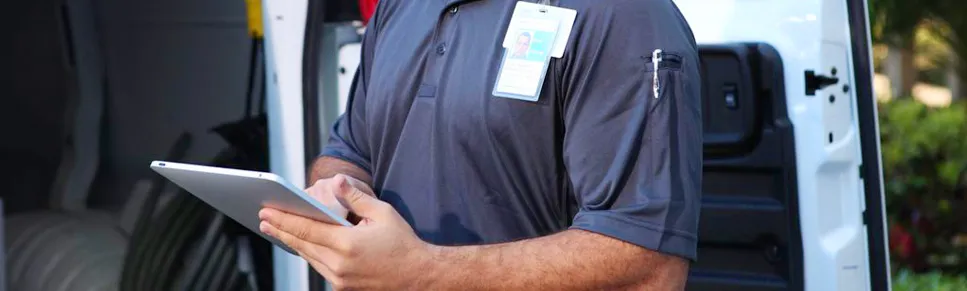
The client: an appliance service company coordinating visits for retail customers
The client is a regional appliance installation and maintenance company serving customers on behalf of multiple retail stores. Its technicians travel between homes to deliver appliances, complete installations, and carry out repairs.
A typical workday involves technicians contacting customers before arriving to confirm addresses and appointment times. During a visit, they also speak with store managers and dispatchers about installation requirements, service questions, and changes to the day’s schedule.
While these calls and texts made technicians accessible, using personal numbers meant sharing private contact details with customers and retail contacts.
Management wanted technicians to remain reachable for assigned jobs while protecting their personal numbers.
The company also wanted them to continue using their existing smartphones instead of carrying a second device throughout the workday.
Table of Contents
5. Your company could be next in line
The challenge: customers kept calling technicians' personal numbers long after service visits
Completing an installation did not end a technician’s contact with the customer. Clients and store contacts saved personal numbers and continued using them after the job, including outside working hours.
As a result, the company faced the following challenges:
Customers contacted technicians at odd hours
More than 88% of technicians reported receiving after-hours calls, some as late as 10 p.m. Customers called the number they had saved, even when the technician was off duty or had completed the assignment.
Technicians then had to decide between answering a work inquiry during personal time and leaving the customer waiting. Their personal number had effectively become an ongoing service contact.
Store records further contributed to the technicians' circulation of personal numbers
Technicians’ numbers appeared in customer forms, store databases, and supplier directories. And, once contacts saved or shared those details, technicians couldn’t control who could reach them.
Some received spam and misdirected callbacks long after completing a job. Finishing an assignment did not stop further calls to the same personal number.
Managers had to request service correspondence from technicians
Calls and texts remained on the technician's personal phones. When a customer questioned an appointment update or requested proof of contact, managers had to ask the technician to locate the relevant conversation.
The company had no consistent business record it could refer to independently. Furthermore, investigating a complaint depended on what the technician could retrieve from their personal call history and messages.
A second phone would add equipment to field work
The management tried issuing separate work phones to technicians.
However, that also meant the technicians had another device to carry, charge, and check between visits. And then there was the cost and time to administer those phones.
The solution: give technicians a business number on the phone they already carry
The company signed up for iPlum’s BYOD second line to separate service calls and texts from technicians’ personal communication.
Technicians installed the app on their existing smartphones, while management administered their business lines through the company’s account.
With iPlum, the technicians could:
Share a business number with customers and retail contacts
Technicians received a local second-line business number for appointment confirmations, arrival updates, and service questions.
Calls placed through iPlum displayed the business number to the recipient. Meanwhile, Customers could call or text that number to reach the technician through the app.
Technicians also began using their iPlum numbers on emails, paperwork, and business cards. The setup ensured that future service clients would receive a company-issued number instead of a personal one.
Distinguish service calls from personal calls
Technicians used distinct ringtones to recognize incoming business calls before answering.
They also configured business voicemail greetings for their iPlum lines. When a technician could not answer, customers reached the business greeting and could leave a service message.
Meanwhile, personal calls continued through the technician’s existing number and personal voicemail.
Retain customer messages for service reviews
The company used text archiving to preserve customer correspondence sent through its iPlum lines.
Authorized managers could examine appointment updates and customer replies when investigating a complaint. They could review the written exchange to check what the technician communicated and how the customer responded.
The archive applied to messages exchanged through iPlum after activation. In addition, earlier conversations on personal numbers remained separate.
Make business calls when mobile data was unreliable
With dual-mode calling, technicians could choose between internet calling and their carrier’s voice network.
When mobile data was poor at a service location, they could select voice-network calling through iPlum. The customer would still see the technician’s business number.
Technicians could, therefore, use another available connection to contact customers or dispatchers while continuing to call through their assigned business line.
Administer technician lines and billing through the company account
The IT manager used multi-user account management to add technician accounts, assign lines, and manage permissions.
Billing also went through the company account. In addition, management could review subscriptions and administer business numbers as part of its regular operations.
With iPlum, technicians continued to carry their existing smartphones, while the company managed the business service on those devices.
The results: 100% number privacy
Within weeks of adopting iPlum, the company reported that technicians used their assigned business numbers for customer and store communication.
Its internal review reported the following results:
- 100% personal number privacy for calls and texts conducted through iPlum, with customers receiving technicians’ business numbers.
- 45% less time spent on phone administration, following the move to company-managed accounts and consolidated billing.
- 40% lower phone-related costs during the first quarter.
- Business communication separated from personal calls and messages on technicians’ existing smartphones.
- Managers gained access to business communication records when reviewing customer inquiries and service complaints.
Your company could be next in line
If your employees use personal numbers for business calls and texts, customers can continue contacting them after working hours.
iPlum gives them a separate business number on the smartphones they already own. They can use that number for customer conversations, appointment updates, and follow-up messages rather than share their personal contact details.
Meanwhile, your company can manage those business lines and billing through its account.
Give customers a business number to save and your employees a way to separate personal and professional conversations.

