


%20(1).avif)
.avif)
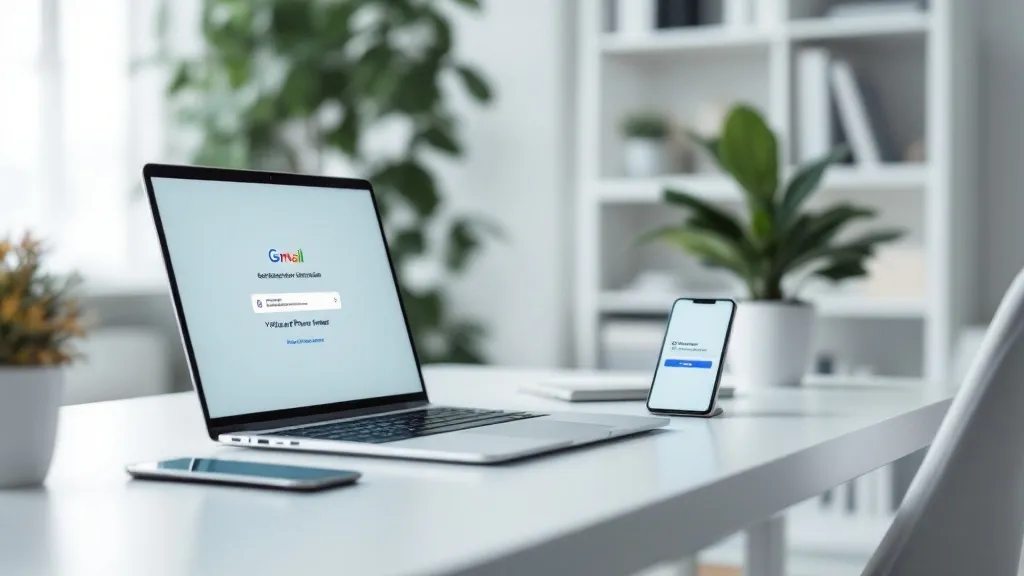
A virtual phone number for Gmail verification can protect your personal contact details when Google asks you to confirm a new account.
However, Google can reject numbers linked to repeated sign-ups, spam, or abuse.
Free public SMS inboxes have the poorest record because strangers reuse them. A paid, permanent line gives you a better chance and remains available for recovery. Even then, Google decides which numbers it accepts.
For long-term business use, iPlum gives you a separate U.S., Canadian, or toll-free line for calls, texting, and voicemail on your current phone.
Table of Contents
1. Can you use a virtual phone number for Gmail verification?
2. How Gmail phone verification works
3. Why does Google reject some virtual numbers?
4.Free, temporary, or paid: which number should you choose?
5. What about Tossable Digits and Hushed?
6.How to choose a virtual number you can retain
7. Why use iPlum for your permanent business number?
9. Get a separate business number with iPlum
Can you use a virtual phone number for Gmail verification?
Yes, you can try a virtual phone number for Gmail verification if the line can receive Google's SMS verification message.
A successful verification depends on the number's type, history, carrier classification, prior use, and Google's automated security checks.
Google's account-creation instructions describe adding and verifying a number as optional in the standard flow.
However, Google can still request phone verification when its systems detect activity that requires further review. During the verification process, Google sends one of its verification codes through a text message or an automated call.
Google does not guarantee acceptance of a virtual number. Its account-verification page says to use a different number if one fails or has been used too many times. Therefore, no virtual number provider can guarantee that you will verify Gmail.
The line must meet three basic conditions:
- It can receive sms or an automated call from Google.
- You control it now and can access it again during account recovery.
- Its history does not trigger Google’s anti-abuse systems.
A qualifying line can work. Still, your mobile phone or carrier-issued line may have a higher acceptance rate.
How Gmail phone verification works
Google uses account verification to confirm control of a contact method. It also limits the number of accounts a line can create. Consequently, codes aid in detecting automated multiple accounts.
The normal flow looks like this:
- Create a Gmail account and enter the requested details.
- Add a qualifying phone number if Google requests one.
- Choose a text or voice call when both options appear.
- Wait for the Google verification code.
- Enter the code to complete Gmail verification.
- Add recovery methods and turn on two-factor authentication.
Google can change the challenge based on device, location, and activity. It may use a QR code, Google Prompt, passkey, email, text messages, or voice calls. Therefore, SMS is only one security method.
Why does Google reject some virtual numbers?
Google fights bulk account creation, scams, and spam. As a result, its systems assess a line before accepting a code. A working number can still fail.
The number appears on public SMS sites
Websites that let visitors receive sms messages online usually publish a shared inbox. Hundreds of strangers may use the same line. Google can see repeated activity and reject it.
Therefore, a free virtual phone number from a public inbox rarely works. Free web-based SMS receivers generally do not work for Google verification because the line has appeared in numerous attempts.
The provider recycles numbers quickly
Many virtual number providers recycle inactive phone numbers quickly. A new customer can receive a line tied to a former customer's email, banking, or social accounts.
A Princeton University study of recycled mobile numbers found that 171 of 259 sampled numbers—about 66%—were tied to existing online accounts. The study examined carrier numbers, but its findings explain why number history deserves attention.
Free or recycled numbers have higher rejection risks. They can also expose you to identity theft attempts or messages intended for a former owner.
The number has verified too many accounts
Google limits the number of new accounts that one line can verify.
Consequently, a number used repeatedly can produce a "used too many times" error. Trying other platforms does not erase their history.
Google classifies the line as VoIP
Google may reject virtual VoIP numbers to prevent spam and abuse. High rejection rates for virtual numbers occur because Google’s automated systems look for repeated or suspicious use.
Articles claim that Google Voice cannot be used for initial account verification. Google does not publish that blanket rule.
However, Google Voice numbers are VoIP lines, and Google can reject them. Moreover, a consumer's Google Voice number requires an existing Google account, so it cannot be used to create your first account.
The request looks suspicious
Repeated attempts, rapid account creation, location changes, and disposable details can activate fraud controls. Therefore, a disposable number can trigger automated fraud detection. Google aggressively identifies suspicious virtual numbers for SMS verification.
Free, temporary, or paid: which number should you choose?
Pricing for virtual number services varies based on features and reliability.
A basic plan might charge a modest monthly amount for one line, limited minutes, and texting. Business plans can add unlimited calls, routing, recording, administration, and compliance tools.
Review subscription fees as well as number ownership, SMS access, replacement rules, and cancellation terms.
Free numbers
A free receiver looks appealing.
However, free numbers rotate between users and appear in public databases. Free virtual numbers often result in verification failures because abuse tarnishes their reputation.
Temporary numbers
A temporary phone number expires after a set period.
It offers short-term enhanced privacy, but it creates a recovery problem. Losing it may block Gmail recovery if Google sends a later challenge.
Using a disposable virtual number increases the risk of account recovery. Therefore, do not attach an important business account to a line you plan to discard.
Paid permanent numbers
Paid numbers give one customer more control. Paid virtual number services offer better reliability than free options, yet payment does not guarantee acceptance by Google.
A permanent dedicated virtual number is more dependable than a temporary one for account security. It also gives you a private number for ongoing use. Therefore, paid virtual numbers are more reliable for Gmail verification and future recovery, provided the provider lets you retain the line.
What about Tossable Digits and Hushed?
Tossable Digits has provided virtual US phone numbers since 2005.
It offers call forwarding, SMS, voicemail, and local numbers. However, it cannot guarantee compatibility with every outside verification system.
Hushed offers temporary and longer-term lines. It has accepted Bitcoin for payments using anonymous virtual numbers. Still, outside services can block its numbers. Anonymous payment does not change Google’s decision.
Judge virtual phone number services by number control, SMS capability, recovery, privacy, and stated limitations—not marketing promises.
How to choose a virtual number you can retain
Choose a trusted provider for a virtual phone number, then examine the service before you pay. Marketing pages can say “real number,” “real phone number,” or “real mobile numbers,” but those terms do not explain the carrier classification Google sees.
Review these key features:
- SMS access: Confirm that the line can receive SMS messages, short-code traffic, and automated codes.
- Long-term ownership: Find out when the provider reclaims inactive lines and whether you can port the number.
- Account access: Look for password protection, recovery options, and two-factor authentication.
- Device access: Multi-device support can provide authorized business users with access via mobile and web apps.
- Call tools: Consider receiving calls, outgoing calling, voicemail, and call forwarding.
- Privacy: Choose separate numbers for personal and business communication so your personal phone number remains private.
- Reliability: Dual-mode calling over a carrier network or Wi Fi can improve call access. It can also reduce spam calls, although it does not affect Google’s approval.
- Business tools: An auto attendant, voicemail transcription, business hours, and extensions can make the line useful after verification.
- Service terms: Check refunds, replacement policies, cost-effectiveness, and access to a support team.
Next, confirm that you can receive SMS online through a private portal or app. A private inbox differs from a public SMS page because strangers cannot read your code.
Consequently, a permanent number protects your account history, gives clients a recognizable contact, and reduces the chance that an inactive provider will reassign the line during an important recovery request later.
How to get a virtual phone number and try verification
First, compare many services and choose a line you can retain. Do not choose solely on cost savings. A cheap line has little value if it disappears before recovery.
Next, follow these steps:
- Sign up with the provider and create your account.
- Choose a local or toll-free virtual phone number.
- Verify your existing contact to activate your virtual number if the provider requests it.
- Install the app on your phone and test incoming calls and texts.
- Ask the provider whether the number can receive sms verification codes and short-code traffic.
- Enter the number during Google’s account flow only when Google asks for it.
- Wait to receive verification codes, then enter the current code once.
- Add a recovery email, passkey, or backup codes after approval.
Avoid rapid retries if Google rejects the line. Use a carrier-issued number or another method Google offers.
Why use iPlum for your permanent business number?
iPlum gives you a secondary number for modern communication on your existing smartphone. Choose a U.S., Canadian, or toll-free line for business calls, texting, and voicemail. Consequently, your personal number remains private.
iPlum numbers have SMS, MMS, and short-code capability. Therefore, an iPlum line can technically receive verification messages.
The wider value appears after sign-up. iPlum offers carrier network or Wi-Fi calling, spam blocking, voicemail, a phone tree, and an auto attendant.
The Professional plan adds web communication, secure messaging, text archiving, and voicemail transcription. Enterprise plans add recording and long-term archiving.
Those advanced features make the line more useful than a disposable code receiver.
iPlum can also provide dedicated numbers for healthcare, finance, legal, insurance, and other regulated work. Its healthcare options include encrypted texting and HIPAA-compliant plans for professionals who need secure communication.
Therefore, the same number can be used for daily client communication after the Gmail question is settled.
Frequently asked questions
Can I use a virtual number to verify Gmail?
You can try, but Google can reject VoIP, recycled, free, or heavily used numbers. Only Google determines whether verification succeeds.
Can I receive SMS verification codes through iPlum?
iPlum numbers have SMS, MMS, and short-code capability. However, Google can still require a physical mobile line.
Is Google Voice a good option for initial Gmail verification?
A Google Voice number requires an existing Google account, and Google can reject VoIP lines. Therefore, it cannot guarantee first-account verification.
Is a free SMS website safe for Gmail verification?
No. Public inboxes expose codes, recycle lines, and attract heavy activity. Google commonly rejects them, and losing the line can block recovery.
Can one phone number verify several Gmail accounts?
Google limits how many accounts one number can create. Use your number only for legitimate accounts you own and manage.
Get a separate business number with iPlum
A virtual phone number for Gmail verification can protect your personal details, but it must be able to receive the code and pass Google’s automated checks.
A permanent paid line offers a better foundation than a free public inbox or disposable number. Still, Google controls approval.
If you also need a professional line for calling, texting, voicemail, and client communication, get a virtual phone number from iPlum.
You can use your existing mobile device, choose a business number, and separate work communication from your personal line.

